How I Built an MCP Server to Manage My Blog with Claude
I built an MCP server that lets Claude publish to my blog directly. Here's the full architecture, tools, MongoDB integration, and lessons learned.

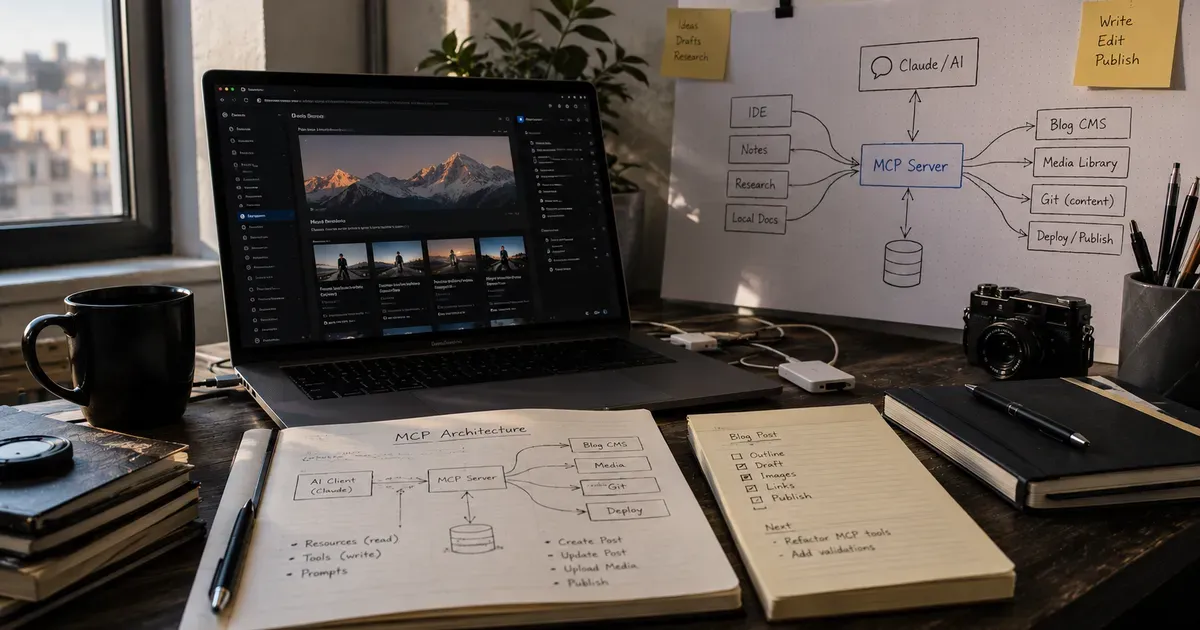
I manage my blog by talking to Claude.
Not through copy-paste. Not through a web form. I tell Claude "write a blog post about regulated AI" and it drafts the article, formats it, and publishes it directly to my website's database. I can ask it to list all my drafts, update a post's category, or unpublish something, all through natural conversation.
This isn't a custom integration or a hacky script. It's a Model Context Protocol (MCP) server, a standard that lets AI assistants interact with external systems through well-defined tools.
I built it in a few hundred lines of TypeScript. It changed how I think about content management, developer tooling, and the future of how we interact with our own systems.
What MCP Is
Model Context Protocol is an open standard created by Anthropic that defines how AI assistants connect to external tools and data sources.
Think of it like this: an AI assistant can read and write text. MCP gives it hands. Instead of just talking about your database, it can query your database. Instead of describing a blog post, it can create one.
An MCP server exposes a set of tools, functions with defined inputs and outputs that an AI can call. When I ask Claude to "publish my latest draft," Claude calls the blog_publish tool on my MCP server, which updates the record in MongoDB and sets the publishedAt timestamp.
The key insight is that the AI doesn't need to know how your database works. It needs to know what tools are available and what they do. The MCP server handles the translation between "publish this post" and the actual database operation.
The Architecture
My MCP server connects to a MongoDB database that stores blog posts and contact messages for my portfolio site. The site itself is a Next.js application that reads from the same database.
Claude ←→ MCP Server ←→ MongoDB ←→ Next.js Site
The MCP server exposes 12 tools across two domains:
Blog tools:
blog_create: Create a new post (title, slug, excerpt, body, category, image, status)blog_list: List all posts with optional status filterblog_get: Get a single post by IDblog_update: Update any field on an existing postblog_publish: Set status to published and stamp publishedAtblog_unpublish: Revert to draftblog_delete: Remove a post
CRM tools:
crm_list: List contact messages with optional status/category filtercrm_get: Get a single messagecrm_update: Update status (new/read/replied/archived) or notescrm_delete: Remove a messagecrm_stats: Get counts by status
Each tool is a simple function that validates its inputs, performs a MongoDB operation, and returns a result. There's no complex business logic. The complexity is in the AI's understanding of when and how to use each tool.
Why Not Just Use an Admin Panel?
I have an admin panel. I built it with a TipTap rich text editor, post management, and a full CRM for contact messages. It works fine.
But the MCP server solves a different problem: it puts content management inside my existing workflow.
When I'm working in the terminal (coding, deploying, reviewing) I'm already talking to Claude. If I want to publish a blog post, I don't need to switch context to a browser, navigate to /admin, log in, and use a GUI. I say "publish the regulated AI article" and it's done.
The context switch matters more than it sounds. Every tool switch breaks flow. Every login is friction. Every GUI interaction is slower than a sentence.
The admin panel is for visual editing: formatting text, previewing how a post looks, uploading images. The MCP server is for everything else: creating drafts, managing status, batch operations, quick edits.
They complement each other. The admin panel is for craft. The MCP server is for speed.
Building It
The MCP server is a single TypeScript file that:
- Connects to MongoDB using the standard driver
- Registers tools using the MCP SDK
- Handles tool calls with input validation and database operations
- Returns structured responses that Claude can understand
The entire thing is a few hundred lines of code. Setting up the tool definitions took longer than writing the database logic, because the tool descriptions need to be clear enough for the AI to use them correctly.
Here's what I learned building it:
Tool descriptions are prompts. The description you give each tool is essentially a prompt that tells the AI when to use it. A vague description like "manages posts" leads to the AI using the wrong tool. A precise description like "creates a new blog post with all required fields, returns the created post's ID" leads to correct usage every time.
Input validation matters more than you'd think. The AI sometimes passes unexpected types: a number where you expect a string, or a missing required field. Zod validation on every tool input catches these cleanly and returns helpful error messages that the AI can learn from.
Separate read and write tools. I initially had a single blog_manage tool that handled all operations. Splitting it into blog_create, blog_update, blog_get, etc. made the AI dramatically more accurate. One tool per action is clearer than one tool with a mode parameter.
Return useful responses. When blog_publish succeeds, it returns the full post object with the new status and timestamp. This gives the AI context for its next message. "Published 'Regulated AI' on May 17, 2026" is more useful than "Success."
The Workflow
Here's how I actually use it:
Drafting: I tell Claude what I want to write about. It drafts the article in conversation, we iterate, and when it's ready, it calls blog_create to save it as a draft in MongoDB.
Editing: I can say "update the excerpt of the regulated AI article" and Claude calls blog_update with the new excerpt. No admin panel needed.
Publishing: "Publish the regulated AI article." Claude calls blog_publish. The post goes live on the site immediately.
Batch operations: "Show me all draft posts." Claude calls blog_list with a status filter. "Publish all posts in the Aviation category." Claude calls blog_list, filters the results, and calls blog_publish on each one.
CRM management: "How many new messages do I have?" Claude calls crm_stats. "Mark the message from John as replied and add a note that I sent him a LinkedIn message." Claude calls crm_update.
The natural language interface means I never need to remember field names, API endpoints, or database schemas. I just describe what I want in plain English and the MCP server handles the translation.
What MCP Changes
MCP isn't just a developer tool. It's a new interaction paradigm.
Traditional software has a GUI layer between the user and the data. You click buttons, fill forms, navigate menus. The GUI is the interface.
MCP removes the GUI for operations that don't need visual feedback. Changing a blog post's status doesn't require a visual interface. It's a state change. Querying message counts doesn't require a dashboard. It's a number. Adding internal notes to a contact doesn't require a textarea. It's text.
The operations that benefit from a GUI (visual editing, image placement, layout preview) still use the admin panel. But the 80% of content management that's just data operations? That's faster through conversation.
I think this pattern will expand. Every SaaS product that has an API will eventually have an MCP server. Your project management tool, your analytics dashboard, your deployment pipeline, all accessible through natural conversation with an AI assistant.
The developers who build these MCP servers will have a significant advantage. Not because the technology is hard (it isn't) but because designing good tool interfaces requires understanding both the AI's capabilities and the user's workflow. That combination of AI literacy and domain knowledge is rare.
Getting Started
If you want to build your own MCP server, here's what you need:
- A system with an API or database you want the AI to access
- The MCP SDK (TypeScript or Python)
- Tool definitions: functions with clear names, descriptions, and input schemas
- A running MCP-compatible AI client (Claude Code, Claude Desktop, etc.)
The simplest MCP server is three tools: read, write, and list. Start there. Add tools as you discover workflows that benefit from AI access.
The investment is small. The payoff (managing your systems through natural conversation instead of context-switching between GUIs) is surprisingly large.
Enjoyed this article?
I write about building products, AI, aviation, and the journey of entrepreneurship. Follow along for more.
Keep reading

Getting Started with Allem SDK: React Hooks for AI, Forms & Auth
Allem SDK is a collection of React hooks for AI chat, form validation, authentication, analytics, and utilities. Here is how to install and use it.

Getting Started with Allem UI: React & React Native Components
Allem UI is an accessible component library for React and React Native with 44+ components, dark mode, and Tailwind CSS v4. Here is how to install and use it.
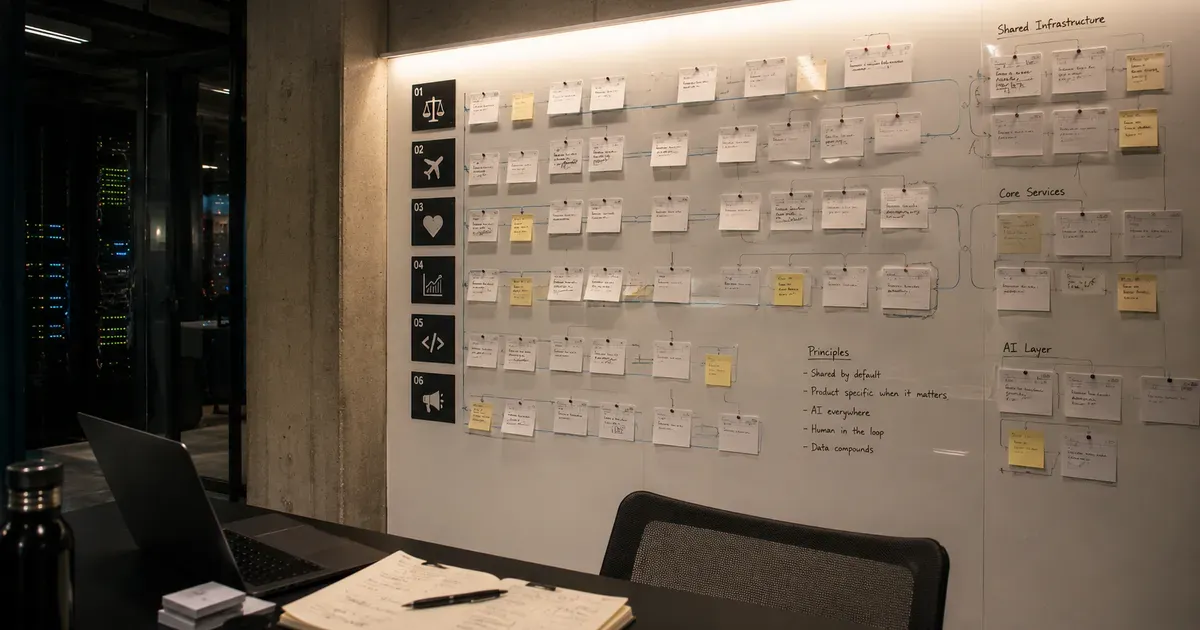
The Agento Suite: Building 6 AI Products in Parallel
In 2026, I launched six AI products across legal tech, travel, healthcare, and developer tools. Here is the architecture and playbook for building in parallel.