Prompt Engineering for Production: What Actually Works
Playground prompts fail in production. Here's how production prompt engineering differs - covering consistency, cost, latency, and safety at scale.

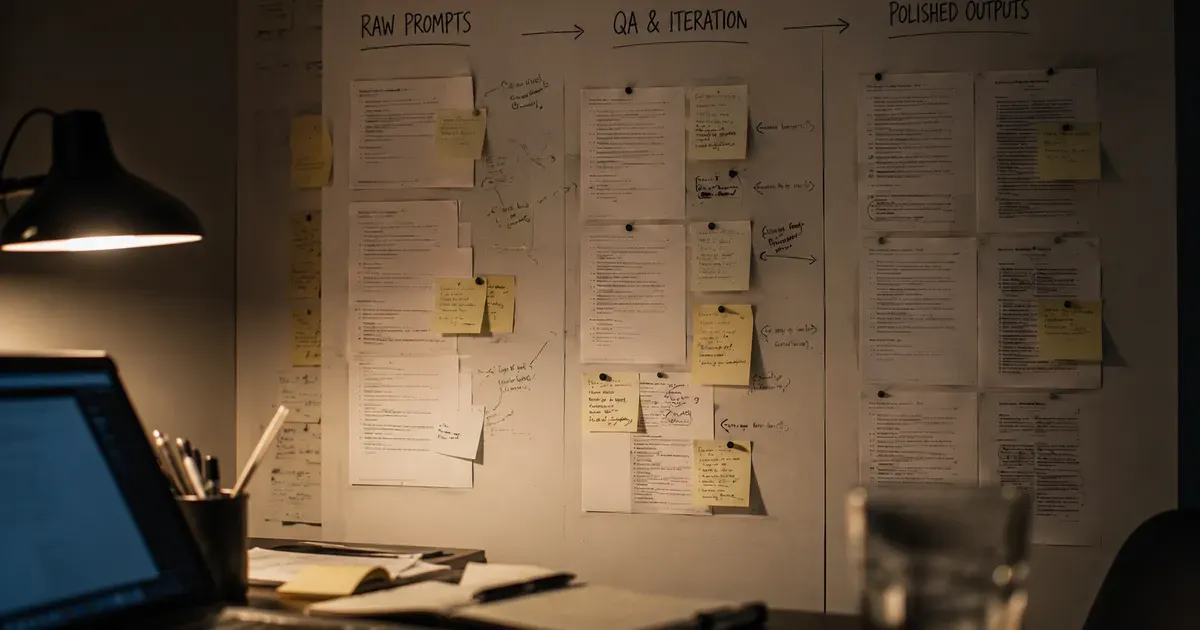
Everyone is a prompt engineer in the playground. You type a prompt, read the response, tweak, repeat. It is creative and intuitive. You develop a feel for what works. And then you try to ship that prompt to production and everything falls apart.
I've been shipping LLM-powered features to real users across multiple products for several months now, and the gap between playground prompt engineering and production prompt engineering is vast. They are almost different disciplines. Here is what production prompt engineering actually looks like.
The Playground Lie
In the playground, you optimize for one thing: the quality of the response you see right now. You tweak the prompt until the output looks good, you nod approvingly, and you copy the prompt into your codebase.
In production, you optimize for many things simultaneously:
- Consistency. The prompt needs to produce good output not once but thousands of times, across diverse inputs you have never seen.
- Latency. Every token in your prompt adds latency. That beautifully detailed system message? It costs you 200ms of response time.
- Cost. Every token costs money. At scale, a prompt that's 500 tokens longer than necessary translates to real dollars.
- Safety. The prompt needs to handle adversarial inputs, edge cases, and users who will find every possible way to break it.
- Parsability. The output needs to be machine-readable, not just human-readable. Your code has to parse the response and do something with it.
The prompt that looks great in the playground often fails on at least three of these dimensions.
My Production Prompt Framework
After months of iteration, I've developed a framework for writing production prompts. Every prompt I write follows this structure:
1. System Message: Define the Contract
The system message is a contract between you and the model. It defines what the model is, what it can do, what it can't do, and how it should format its output.
For Aviation Infinity's explanation generator, the system message includes:
- Role: You are an experienced flight instructor
- Constraints: Only use information consistent with EASA/FAA exam syllabi
- Format: Always respond in the specified JSON schema
- Safety: If unsure about a fact, say so rather than guessing
- Language: Match the language of the user's question
This system message is roughly 300 tokens. It is the most expensive part of every request. But removing any of these constraints leads to output that's measurably worse in production.
2. User Message: Minimize and Structure
The user message should contain the minimum context needed for a good response, structured in a way the model can parse reliably.
Bad: "The student answered B for this question about altimeter settings but the correct answer is C, can you explain why C is correct and why B is wrong?"
Better: A structured format with clearly labeled fields for the question text, options, correct answer, student's answer, and the topic area. This gives the model everything it needs in a format that's unambiguous.
3. Few-Shot Examples: Two is Usually Enough
I include two examples of ideal input-output pairs in most prompts. Not one, not five. Two.
One example often isn't enough for the model to generalize the pattern. Three or more examples rarely improve quality but always increase cost and latency. Two examples hit the sweet spot in my experience.
The examples should be diverse. If both examples are about the same topic, the model over-indexes on that topic. I pick examples from different categories to show the model the range of expected inputs.
4. Output Format: Be Painfully Explicit
Never rely on the model to guess your output format. Specify it exactly. I include the JSON schema in the prompt and add explicit instructions like "respond with ONLY the JSON object, no additional text before or after."
Even with these instructions, models sometimes add preamble or postamble text. My parsing code strips everything outside the first { and last } in the response. Belt and suspenders.
Version Control for Prompts
I store all prompts as TypeScript template literal functions in a dedicated /prompts directory. Each prompt has:
- A descriptive filename
- A version number in a comment
- A changelog in comments
- TypeScript types for the variables it accepts
When I change a prompt, I bump the version number and add a changelog entry. This makes it easy to correlate output quality changes with prompt changes. When a user reports weird output, I can check which prompt version was active at that time.
I've considered using a proper prompt management platform, but the overhead doesn't justify itself at my scale. A well-organized directory of TypeScript files gives me version control (through git), type safety, and easy deployment.
The Testing Problem
How do you test something that's non-deterministic? This is the central challenge of production prompt engineering.
My approach has three layers:
Format Tests (Automated). Every prompt has automated tests that verify the output matches the expected format. Parse the JSON. Check required fields exist. Verify string lengths are within bounds. These tests run on every deployment.
Quality Tests (Semi-Automated). I maintain a set of 20-30 canonical inputs per prompt. On every prompt change, I run all canonical inputs and compare output to the previous version. A script highlights differences. I review the differences manually. This takes about 30 minutes per prompt change, but it catches regressions that format tests miss.
Production Monitoring (Continuous). I log every LLM interaction in production: input, output, latency, token usage, and a quality score derived from user behavior (did the user accept the suggestion, edit it, or dismiss it?). I review these logs weekly looking for patterns -- inputs that consistently produce low-quality output, latency spikes, cost anomalies.
Lessons From Failure
Some specific failures and what I learned:
The Token Bomb. A user submitted an extremely long business description to ClickAi's content generator. The prompt plus input exceeded the context window. The API returned an error, but my error handling was generic and the user saw a vague "something went wrong" message. Fix: input validation that truncates or summarizes long inputs before they reach the prompt.
The Language Drift. Aviation Infinity serves users in multiple languages. A prompt that worked perfectly in English started producing mixed-language output for French-speaking users -- half French, half English. The system message said "respond in the user's language" but didn't specify what to do when the user's input contained English technical terms. Fix: explicit instruction to "respond entirely in {language}, using {language} translations for technical terms where standard translations exist."
The Confident Wrong Answer. An Aviation Infinity explanation confidently stated an incorrect fact about instrument approaches. The explanation sounded authoritative and a student flagged it. This was a hallucination that passed through my validation because the validation was checking format, not factual accuracy. Fix: added a retrieval step that pulls relevant verified content and includes it as context in the prompt, grounding the model's response in trusted sources.
The Meta-Lesson
The most important thing I've learned about production prompt engineering is that it's iterative, data-driven work. The first version of every prompt is mediocre. You ship it, observe how it behaves with real inputs, and improve. The tenth version is good. The twentieth version is excellent.
This means you need infrastructure for iteration: logging, monitoring, evaluation, and a deployment pipeline that makes prompt updates easy. Invest in this infrastructure early. It pays dividends forever.
Prompt engineering isn't a one-time task. It is an ongoing practice, closer to maintaining a codebase than writing a document. Treat it accordingly.
Enjoyed this article?
I write about building products, AI, aviation, and the journey of entrepreneurship. Follow along for more.
Keep reading

LegalAgento: AI-Powered Unbundled Legal Services Marketplace
80% of Americans with civil legal problems can't afford an attorney. Unbundled legal services is the solution the industry ignored. We built the AI marketplace.

Prototyping LegalAgento: From Research to Working Product
How eight months of research became a working prototype. the technical decisions, the surprising challenges, and the first user reactions to AI-guided legal help.

The Future of Unbundled Legal Services: LegalAgento Bet
The legal industry is where healthcare was twenty years ago. Unbundled services powered by AI are the path to making legal help affordable.