What Are MCP Servers and Why Should You Build One?
MCP servers connect AI models to your real systems - databases, CRMs, deployment pipelines. Here's why I built custom MCP servers and what they changed.


One of the biggest limitations of AI models is that they exist in a vacuum. You can have the most capable language model in the world, but if it can't read your database, check your CRM, or publish to your blog, it's just a very expensive text generator.
The Model Context Protocol (MCP) changes that. And building custom MCP servers has become one of the most practically useful things I've done this year.
What MCP Actually Is
MCP is a protocol that standardizes how AI models interact with external tools and data sources. Think of it as a USB standard for AI. Before USB, every peripheral needed its own proprietary connector. Before MCP, every AI integration needed custom glue code.
An MCP server exposes a set of tools and resources that an AI model can discover and use. The model doesn't need to know in advance what tools are available. It discovers them at runtime, understands their capabilities through structured descriptions, and invokes them as needed.
This is fundamentally different from hardcoded function calling, where you define a fixed set of functions the model can use. With MCP, the available tools are dynamic. Connect a new MCP server, and the model immediately has access to new capabilities.
Why I Built Custom MCP Servers
I maintain around 9 products. That means multiple different databases, multiple CMSs, several CRMs, deployment pipelines, analytics dashboards, and more. Managing all of this manually isn't sustainable. Managing it through traditional automation is fragile because every new product means new Zapier flows, new cron jobs, new scripts.
MCP servers gave me a different approach: expose my systems as tools that an AI can use, then let the AI handle the orchestration.
Here is what I built:
Blog Management MCP Server
My blog runs on Next.js with markdown files and a MongoDB backend for metadata. The blog management MCP server exposes tools for:
- Listing all blog posts with their status (draft, published, scheduled)
- Reading post content and metadata
- Creating new posts from structured input
- Updating post metadata (title, excerpt, SEO keywords, publish date)
- Publishing or unpublishing posts
Now, when I am working with Claude and I say "publish the aviation research post and schedule the MCP servers post for next Thursday," the AI can actually do it. It calls the MCP tools, makes the changes, and confirms. No dashboard, no file editing, no git commits for content changes.
CRM MCP Server
Across my products, I've contacts, leads, and user feedback flowing into various systems. The CRM MCP server unifies access to this data:
- Querying contacts by product, date range, or status
- Adding notes to contact records
- Updating contact stages
- Generating summaries of recent activity
This turns what used to be a manual process (opening three different admin panels, cross-referencing spreadsheets) into a conversational interaction. "Show me all contacts from ClickAi beta signups this week" just works.
Database Access MCP Server
This one required the most careful thought around security. The database MCP server provides read access to my MongoDB collections with:
- Structured queries with field filtering
- Aggregation pipeline support
- Result pagination
- Strict read-only access (no write operations through this server)
The read-only constraint is deliberate. I want the AI to be able to analyze data and answer questions about it, but I don't want a misunderstood instruction to accidentally delete records.
The Architecture
Each MCP server is a standalone Node.js application that implements the MCP protocol. They run locally on my development machine or on a secure server, and they communicate with Claude through the standard MCP transport layer.
The structure of each server is straightforward:
- Tool definitions: JSON Schema descriptions of each tool, including parameters, descriptions, and return types
- Tool handlers: The actual implementation of each tool, including database queries, API calls, file operations
- Resource definitions: Static or dynamic data sources the model can read (like configuration, schemas, or reference data)
- Transport layer: stdio or HTTP, depending on the deployment context
What I appreciate about MCP is that the protocol handles the boring parts (discovery, serialization, error handling) and lets me focus on the actual tool logic. A new tool is usually 20-30 lines of handler code plus a JSON Schema definition.
Practical Impact
The practical impact of MCP servers on my workflow has been significant. Here are a few examples from the past month:
Content management: I wrote and published three blog posts entirely through Claude with MCP tools. The workflow was: discuss the topic, have Claude draft the post, review and edit through conversation, then publish, all without opening a browser or code editor for the content management parts.
Data analysis: When I needed to understand user engagement patterns across my aviation products, I asked Claude to query the database, aggregate the results, and summarize findings. What would have been an hour of writing MongoDB queries and staring at JSON became a five-minute conversation.
System monitoring: "Are there any new contact form submissions from the past 24 hours across all products?" One question, one answer, across multiple databases.
Lessons Learned
Building MCP servers taught me several things:
Keep tools small and focused. Early on, I tried to build Swiss-army-knife tools that handled many operations through parameters. This confused the model. Small, single-purpose tools with clear descriptions work much better.
Write excellent tool descriptions. The model decides which tool to use based on the description. A vague description means the model will use the wrong tool or not use it at all. I spend as much time on descriptions as on implementation.
Error handling matters more than you think. When a tool fails, the model needs to understand why so it can try a different approach or ask the user for clarification. Returning "Error: something went wrong" is useless. Returning "Error: No documents found matching the filter {status: 'published', product: 'ClickAi'}" lets the model adjust its query.
Security isn't optional. MCP servers can expose powerful capabilities. I enforce read-only access where possible, require explicit confirmation for destructive operations, and never expose credentials through MCP tools.
The Bigger Picture
MCP is still early, but I believe it represents a fundamental shift in how we build AI-powered tools. The old paradigm was: build an AI feature inside your product. The new paradigm is: expose your product as tools that AI can use.
For a solo founder managing multiple products, this shift changes everything. Instead of building AI features into each product individually, I build MCP servers that expose each product's capabilities, and then any AI model that supports MCP can work with all of them.
The bridge between AI and real-world systems is no longer a custom engineering project for each integration. It's a protocol. And that changes everything about what a small team, or a solo founder, can build.
Enjoyed this article?
I write about building products, AI, aviation, and the journey of entrepreneurship. Follow along for more.
Keep reading

Getting Started with Allem SDK: React Hooks for AI, Forms & Auth
Allem SDK is a collection of React hooks for AI chat, form validation, authentication, analytics, and utilities. Here is how to install and use it.

Getting Started with Allem UI: React & React Native Components
Allem UI is an accessible component library for React and React Native with 44+ components, dark mode, and Tailwind CSS v4. Here is how to install and use it.
The Agento Suite: Building 6 AI Products in Parallel
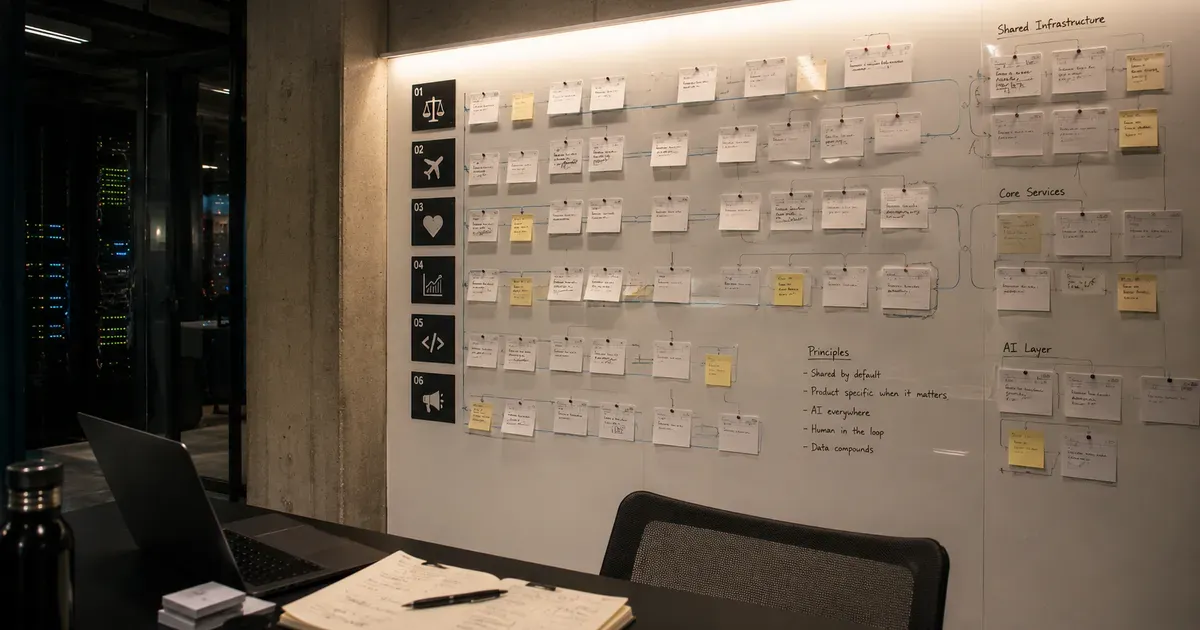
In 2026, I launched six AI products across legal tech, travel, healthcare, and developer tools. Here is the architecture and playbook for building in parallel.