Building My First Web Application: Lessons from Scratch
My first web app was terrible. Messy code, ugly design, zero users. But it taught me how to ship, the only skill that matters early on.


My first web application was a mess. The HTML was tangled with inline styles. The JavaScript was a single 800-line file. The "database" was a JSON file that I read and wrote with Node.js fs operations. The design looked like it was made by someone who had seen a website once and was working from memory.
It was also the most important thing I ever built. Not because it worked well (it didn't). Because it taught me that I could build things at all.
The gap between "I want to build a web application" and "I've built a web application" is enormous. It's filled with configuration files you don't understand, terminal commands that don't work, dependencies that conflict, and error messages that seem designed to discourage beginners.
But once you cross that gap, once you see your code running in a browser, responding to clicks, saving data, doing something, everything changes. You go from "maybe I could build something" to "I'll build something." The difference is everything.
What I Built (and Why It Was Terrible)
The application was a simple tool for tracking personal goals. You could create a goal, set a deadline, mark milestones, and track progress. Basic CRUD operations with a calendar view.
I chose this project because it was small enough to finish and complex enough to learn from. I didn't know it at the time, but that balance (achievable scope with genuine complexity) is the most important characteristic of a learning project.
The implementation was terrible in specific, instructive ways:
No separation of concerns. HTML, CSS, and JavaScript were interleaved in ways that made every change a archaeological expedition. Want to change a button color? Find the inline style buried in a div that's nested six levels deep inside a JavaScript template literal.
Global state everywhere. Variables were declared at the top of the file and mutated from everywhere. Functions reached into global state instead of taking parameters. The data flow was untraceable: any function could change anything at any time.
No error handling. When something went wrong, the application just stopped working. No error messages, no fallbacks, no graceful degradation. The JSON file "database" could be corrupted by concurrent writes and the only recovery was manual editing.
Copy-paste architecture. Need the same functionality in two places? Copy the code. Need to change it? Change it in both places. Forget to change one? Discover the inconsistency weeks later through a bug report (from myself, since I was the only user).
Each of these problems taught me something that I now take for granted. Separation of concerns. Unidirectional data flow. Error handling. DRY principles. These aren't abstract concepts; they're solutions to specific problems I experienced firsthand.
The Stack I Started With
In 2017, the JavaScript ecosystem was overwhelming. React, Angular, and Vue were competing for dominance. Webpack configuration was notoriously complex. The Node.js ecosystem was growing faster than anyone could track.
I started with the simplest stack I could find:
- HTML/CSS/JavaScript. No framework. No build step. Just files served by a Node.js server.
- Node.js with Express. The most documented server framework in the JavaScript ecosystem.
- A JSON file. Because I didn't want to learn a database yet.
This simplicity was strategic, though I didn't know it at the time. Every layer of abstraction I didn't add was a layer of abstraction I didn't have to debug. When something broke (and things broke constantly) the debugging surface was small enough to handle.
Later, I'd add MongoDB, React, and proper build tools. But starting simple let me focus on the fundamentals: HTTP requests, routing, data persistence, form handling. The boring stuff that every web application needs regardless of the framework.
What Nobody Tells Beginners
There are specific aspects of building web applications that nobody explains clearly to beginners. I had to discover them through frustration:
The development environment takes longer to set up than your first feature. Installing Node.js, configuring npm, understanding package.json, resolving dependency conflicts, getting the server to start. This consumed my first two days. I thought I'd be writing application logic on day one. I was writing configuration.
Error messages are written for people who already know the answer. "ENOENT: no such file or directory" is obvious to experienced developers. To a beginner, it's cryptic. The error tells you what happened but not why or how to fix it. Learning to read error messages is a skill in itself, one that nobody teaches explicitly.
The browser developer tools are essential, not optional. I spent my first week using console.log for debugging. Then I discovered the Chrome DevTools: breakpoints, network inspection, element inspection, the console. The tools that made development bearable were already built into my browser. Nobody told me to look there.
Tutorials skip the hard parts. Every tutorial I followed worked perfectly in the tutorial. When I adapted the same patterns for my own application, they broke in ways the tutorial didn't cover. The gap between "following a tutorial" and "building your own thing" is where all the real learning happens.
Version control isn't optional. I didn't use Git for my first project. I manually backed up files by copying folders. When I broke something and couldn't figure out what changed, I had no way to compare versions. Learning Git was the single biggest productivity improvement of my first year.
The Moment It Clicked
There's a specific moment in every beginner's journey where the abstraction layers collapse and you understand what's actually happening.
For me, it was understanding the HTTP request-response cycle. A browser sends a request. The server receives it, does something, and sends back a response. The browser renders the response. That's it. Every web application, from a todo list to Gmail, is built on this cycle.
Before that understanding, web development felt like magic. After it, web development felt like plumbing. Complex plumbing, with many pipes and valves, but fundamentally just data moving from one place to another through well-defined channels.
Once the request-response cycle clicked, everything else became learnable. Authentication is just checking credentials before sending the response. APIs are just endpoints that send data instead of HTML. Databases are just more durable storage than a JSON file. WebSockets are just persistent connections instead of request-response pairs.
The mental model makes the learning tractable. Without it, every new concept is isolated and overwhelming. With it, every new concept is a variation on a theme you already understand.
Shipping vs. Perfecting
The most important lesson from my first project wasn't technical. It was psychological: shipping beats perfecting.
I spent three weeks building the goal tracker. By the end, I knew it was ugly, buggy, and limited. Every instinct told me to fix it before showing anyone. Make the design better. Add more features. Handle the edge cases. Polish the rough edges.
Instead, I deployed it. Put it on a server. Used it myself. Showed it to a friend.
The response was predictable: "Cool concept. The design needs work. It crashed when I did X." Nothing I didn't already know. But the act of shipping changed my relationship with the project. It was no longer an experiment; it was a product, however rough. And products get improved. Experiments get abandoned.
I've built many products since that first one. Every single one launched before it was ready. Every single one got better after launch. The pattern is consistent: the feedback you get from real users (even if the only real user is yourself) is more valuable than the feedback you get from staring at your code.
What I'd Do Differently
If I were starting today, with what I know now, I'd change two things:
Start with a framework. My decision to start without React or Vue was defensible, because learning fundamentals first is valuable. But I'd now recommend starting with an opinionated framework like Express with a clear project structure, or even a React boilerplate. The fundamentals can be learned within the framework, and the framework handles the configuration that consumed my first two days.
Use a real database immediately. The JSON file approach taught me about data persistence, but it also taught me bad habits. MongoDB or even SQLite would have been just as easy to start with and would have introduced proper database concepts from day one.
Everything else (the messy code, the global state, the copy-paste architecture) I wouldn't change. Those mistakes were essential. I learned separation of concerns because I suffered without it. I learned error handling because my application crashed without it. I learned DRY because I maintained duplicate code and it was miserable.
Some lessons need to be experienced, not taught. My first web application was terrible, and that was exactly right.
The Bridge to Products
The goal tracker was never a product anyone else wanted. It was a training exercise, my equivalent of solo flying practice. But it proved that the bridge between "iOS developer" and "full-stack web developer" was crossable. I'd been building native apps since 2008, but the web was a different world — and mastering it would let me reach users everywhere, not just on Apple devices.
From that point, the question changed. It was no longer "can I build for the web?" It was "how fast can I rebuild my existing products as web applications?" And for someone who'd already built Aviation Infinity, AvioSharing, and New Pilot Shop as native apps, the roadmap was obvious.
The first web application is never the goal. It's the proof that goals are achievable.
Enjoyed this article?
I write about building products, AI, aviation, and the journey of entrepreneurship. Follow along for more.
Keep reading

Getting Started with Allem SDK: React Hooks for AI, Forms & Auth
Allem SDK is a collection of React hooks for AI chat, form validation, authentication, analytics, and utilities. Here is how to install and use it.

Getting Started with Allem UI: React & React Native Components
Allem UI is an accessible component library for React and React Native with 44+ components, dark mode, and Tailwind CSS v4. Here is how to install and use it.
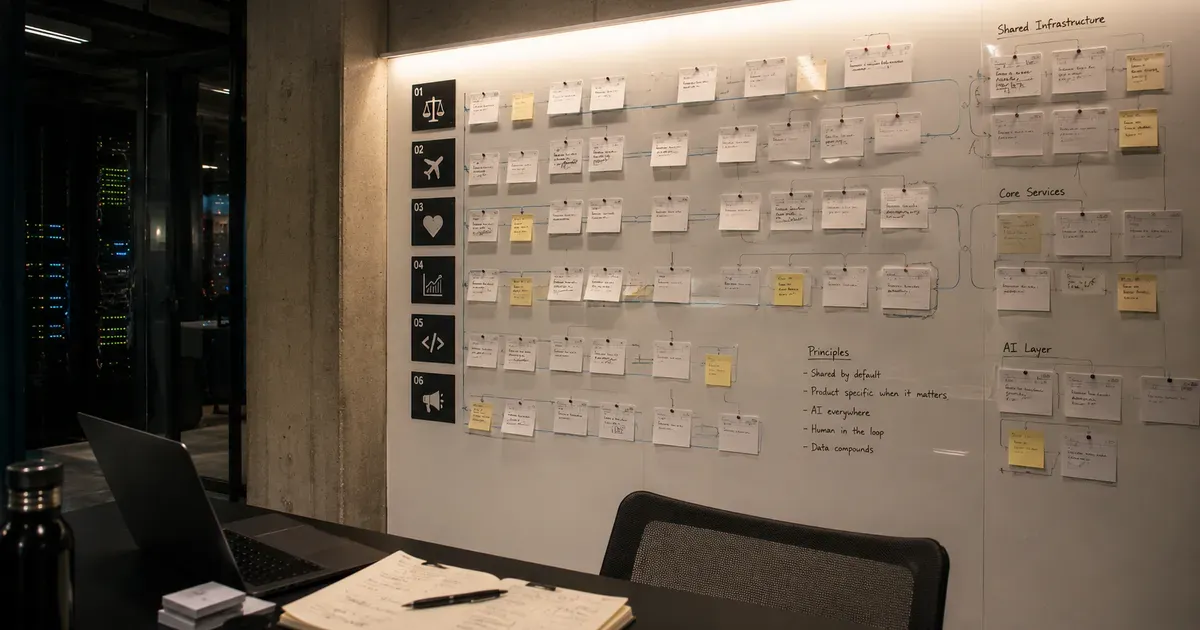
The Agento Suite: Building 6 AI Products in Parallel
In 2026, I launched six AI products across legal tech, travel, healthcare, and developer tools. Here is the architecture and playbook for building in parallel.